
Selecting the right microSD card for your drone comes down to two main pillars: sustained write speed to handle high-bitrate video, and adequate capacity for your shooting habits. To guarantee stutter-free 4K or 5.1K recording, always choose a high-endurance, U3 and V30 (or higher) rated card from a reputable brand.
1. Speed Matters: The Ratings to Look For
Drone cameras push massive amounts of data per second (bitrate). If your card cannot write data fast enough, your video will drop frames, stutter, or the drone’s recording will abruptly stop mid-flight.
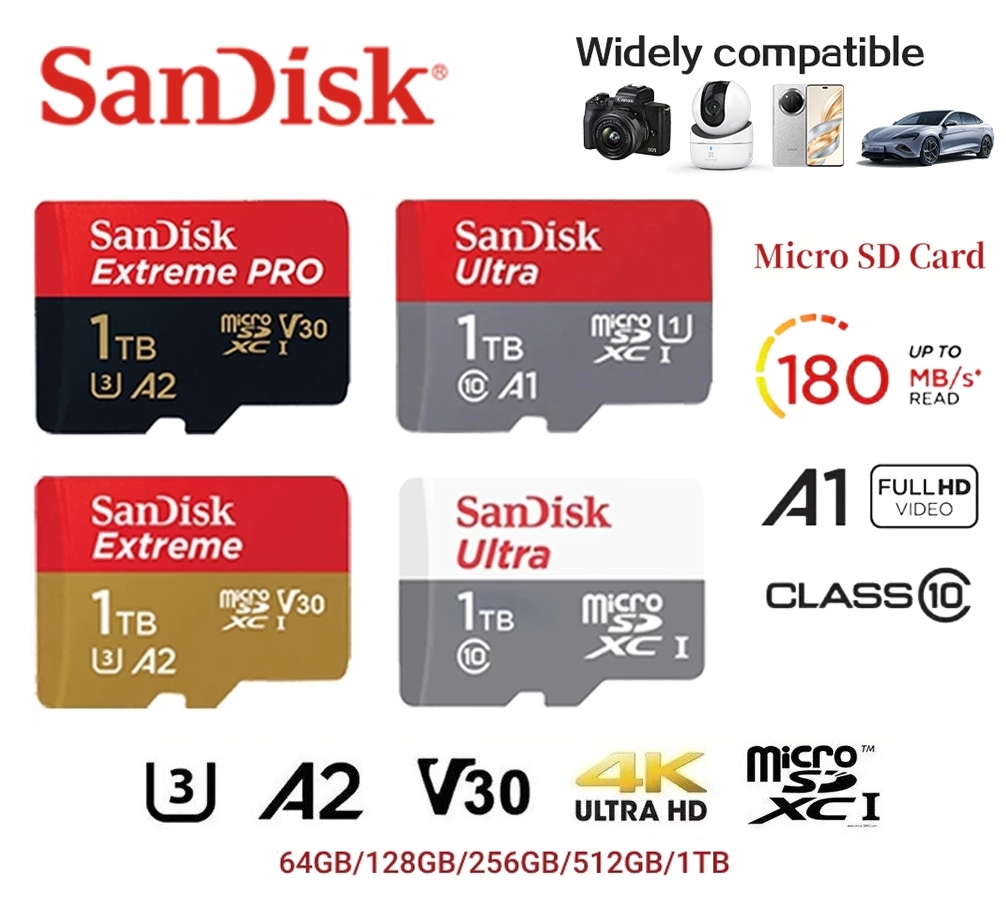
- Video Speed Class (V-Class): Look for V30, V60, or V90. The number corresponds to the minimum sustained write speed in MB/s. For modern 4K drones (like the DJI Air 3S or Mavic 4 Pro), V30 is the minimum baseline, guaranteeing a sustained write speed of 30MB/s.
- UHS Speed Class (U-Class): Look for the symbol U3 (a “3” inside a “U”). Similar to V30, U3 ensures a minimum write speed of 30MB/s. Avoid U1 or Class 10 (C10) cards, as they are too slow for modern drone bitrates.
- Bus Speed: Most drones use UHS-I, which is more than capable of handling 4K. While UHS-II cards exist, their faster transfer rates (V60/V90) are only beneficial for quickly offloading data to your computer, as the drone itself will revert to UHS-I writing speeds.
2. Storage Capacity: Finding the Sweet Spot
Choosing your capacity depends directly on your video resolution, bitrates, and how often you offload your footage.
- 64 GB: Good for casual hobbyists or shooting standard 1080p, though it fills up quickly in 4K.
- 128 GB to 256 GB: This is the sweet spot for most 4K drone pilots. It allows for multiple flights and ample time to record high-resolution videos without needing to constantly change cards in the field.
- 512 GB to 1 TB: Best for professionals, those shooting in high-bitrate RAW, or pilots on long trips where offloading to a laptop isn’t possible.
A quick pro-tip: Rather than relying on one massive 512 GB card, many experienced pilots prefer using multiple 128 GB or 256 GB cards. This practice mitigates risk; if a drone is lost or an SD card becomes corrupt, you only lose a portion of your footage.
3. Durability and Brand Reliability
Your drone operates in extreme environments and experiences vibrations and temperature fluctuations. You should never buy off-brand, unverified memory cards just to save money, as they are prone to failure and data corruption. Stick to industry-trusted manufacturers:
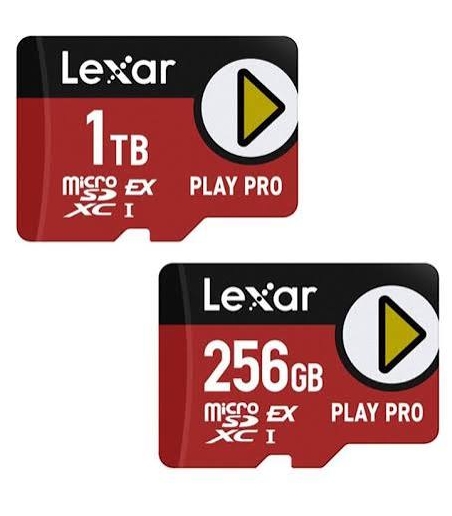
- SanDisk (Extreme, Extreme PRO, or High Endurance lines)
- Lexar (Professional Gold or Silver series)
- Samsung (PRO Plus or PRO Endurance)
4. Best Practices for Drone SD Cards
- Always Format in the Drone: Before your first flight, format the newly purchased card directly in your drone’s camera menu. This ensures the optimal file structure (typically exFAT).
- Regularly Offload and Reformat: Reformat your card after every mission. This removes hidden files created by the operating system and helps prevent recording errors.
- Check the Manufacturer’s Recommendations: Before purchasing, always check your drone manufacturer’s compatibility list. For example, you can review the DJI Recommended Storage Cards page to see exactly which cards are tested and optimized for specific models like the DJI Mini 4 Pro or Mavic 3 Pro
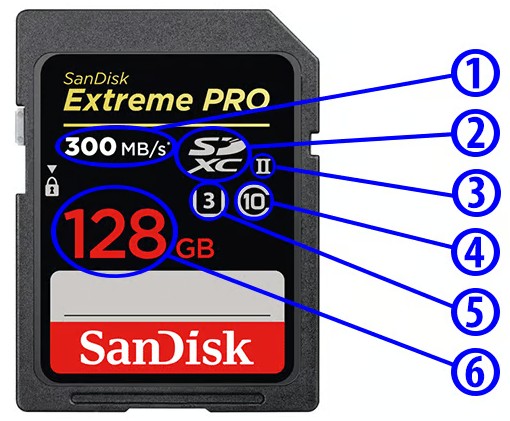
Let’s take a look at a real memory card and see if we can make some sense from all the information provided on it:
- Maximum Read Speed – This is the maximum sequential read speed the memory card is capable of in Mega Bytes per second (MB/sec). Please note that write speeds are rarely ever published on memory cards and you will need to find that information in memory card manual or listed specifications. In this case, the maximum read speed of the SD card is 300 MB/sec.
- Type of SD Memory Card – You should also be able to locate the proprietary SD card logos on memory card labels that indicate whether the card is of SD, SDHC or SDXC type. In this particular case, it is an SDXC memory card.
- UHS Bus Speed – UHS bus speed is also often published directly on memory card labels. If it is a UHS-I card, you will just see roman numeral one (I), whereas if it is a UHS-II card, you will see roman numeral two (II), as in the case of the above card.
- SD Speed Class – This number indicates what SD Speed Class card it is, per table above. As in the above case, all modern SD cards should be rated at 10 minimum, which guarantees minimum sequential write speed of 10 MB/sec.
- UHS Speed Class – Aside from UHS bus speed, you will also typically find a UHS speed class label. In this particular example, I can see that the card is rated at minimum 30 MB/sec write speed, thanks to this U3 label.
- Memory Card Capacity – The capacity of the memory card is typically displayed in large numbers. As can be seen here, this memory card has a total capacity of 128 GB.